
Who Is This Automation For?
- Program directors: stop scrolling a huge PDF to find one number - ask the chatbot and get your answer in seconds flat;
- Fundraising managers: share a chatbot link with donors instead of a PDF attachment so they explore your impact on their own;
- Board members: check project outcomes before a quarterly meeting without asking staff to write yet another summary document for you;
- Volunteer coordinators: stop answering the same ten questions about last year by hand - point new recruits to the chatbot instead;
- Communications officers: pull quotes, stats, and project names from annual reports in seconds instead of hunting page after page.
Common Use Cases
- Donor follow-up: a supporter asks what happened with their gift last year and the chatbot finds the right passage in seconds flat;
- Board prep: a trustee checks program results and budget numbers the night before a meeting without emailing three colleagues first;
- Grant reporting: pull specific figures and project names from two years of reports while you write your next funding proposal draft;
- Volunteer onboarding: new recruits learn what the organization did last year by chatting with the bot;
- Public transparency: embed the chatbot on your website so any visitor can explore your annual report through a live conversation.
How It Works
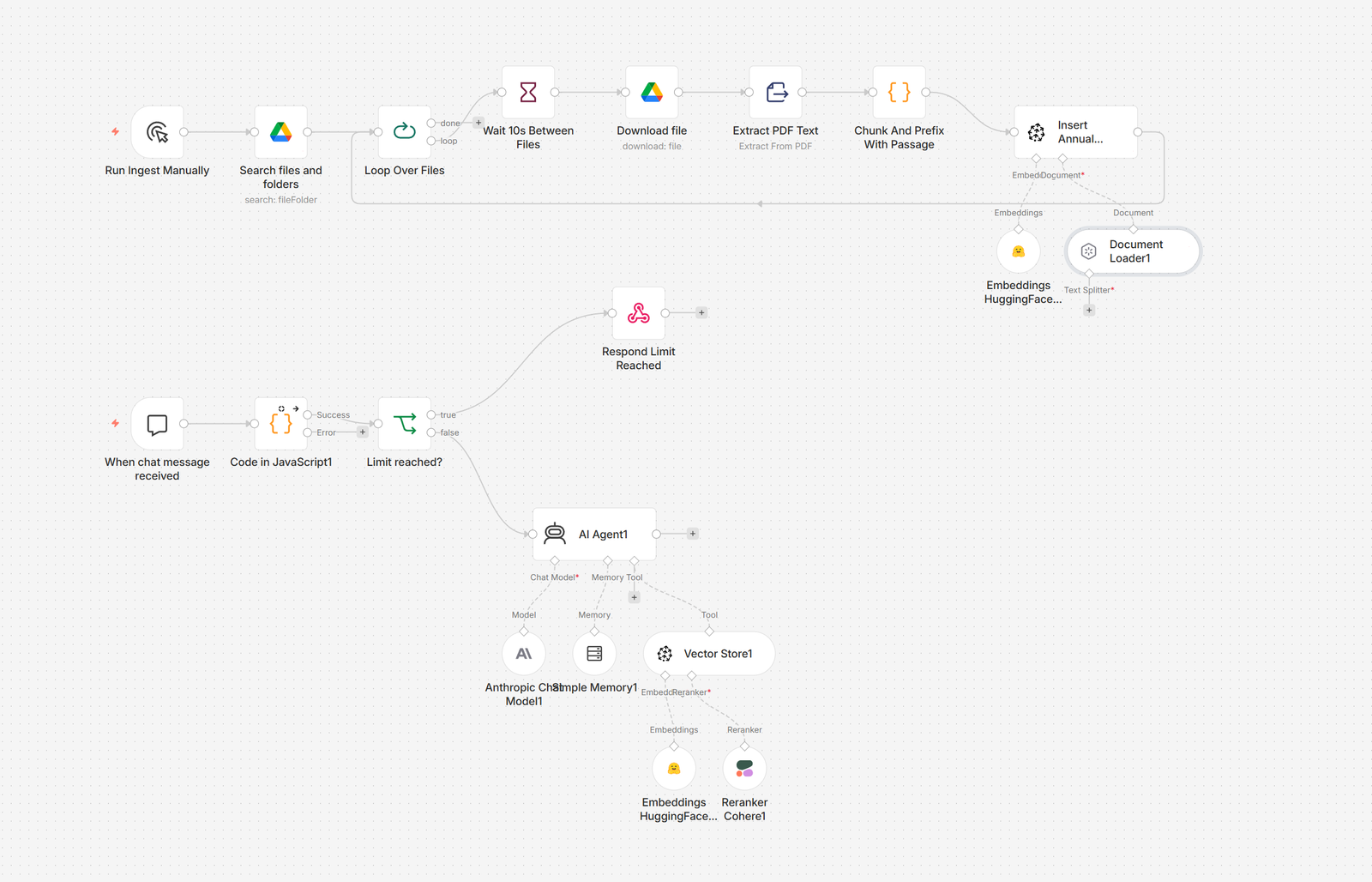
You drop your annual report PDFs into a cloud folder. That is your only job. The system picks up each file, reads every page, and breaks the text into small pieces it can search later.
Those pieces go into a search engine that understands meaning, not just keywords. When someone asks "what did you spend on elderly care?" the system finds the passages that actually answer the question - even if the exact words never appear together in the document.
A visitor opens the chatbot on your website and types a question. The AI searches your reports, reads the best matches, and writes a short, clear answer. It sticks to what your documents say. It will not invent facts - which already puts it ahead of that one board member who "remembers it differently."
The chat remembers context. If someone says "tell me more" after a first answer, the chatbot knows what "more" refers to. It holds a conversation for several turns, like talking to a colleague who actually read the whole report.
You set a cap on how many questions each visitor can ask per session. This keeps costs flat. When a session ends, the chatbot says thank you and stops. No surprise bills. New report next year? Drop it in the folder, press one button, done.
Prerequisites
You will need a cloud storage service, an automation platform, a vector database, an AI language model, an embedding service, and a reranking service.
- Cloud storage: Google Drive, Dropbox, OneDrive;
- Automation: n8n, Make;
- Vector database: Pinecone, Supabase pgvector, Weaviate;
- AI model: Claude API, OpenAI API;
- Embeddings: HuggingFace Inference API, OpenAI Embeddings;
- Reranking: Cohere Rerank, Jina Reranker.
How to Develop Further
- Add more content: drop another PDF into the same cloud folder, re-run the ingest once, and the chatbot covers more years of activity;
- Multi-language replies: change one line in the AI prompt so the chatbot answers in the same language the visitor writes their question;
- Slack or Teams channel: connect a messaging tool so staff can search annual reports from the app they already have open all day;
- Feedback survey: add a short form at the end of each chat session to learn which topics your donors care about the most often;
- Donor database sync: log every chat question to your CRM so fundraisers can see which programs and projects get the most interest.